Severity: Notice
Message: Undefined variable: pagecount
Filename: controllers/document.php
Line Number: 4926

Unlock these Enterprise features for free for 7 days:
Title: Alaska Driver License Renewal
Document ID: 0
Document Completed:
No Document History |

Title: Alaska Driver License Renewal
Document ID: 0
Document Completed:
No Document History |

The name of the person or company you'll enter will be used in the E-signature Agreement.
All signature fields must have an assigned signatory before the document can be sent for signing.
Please add signature fields and assign signatories before sending out the document.
The document will not be sent for signing.
Any changes to this document will require you to resend the document for signing.
All signatures on this document will be deleted and all signatories will be notified.
Document will only be sent to signatories who have not yet signed.
Copy the link
Your Session is already expired. Please login.

Form 478, Application for Alaska Driver License, Permit or Identification Card, or the Alaska Driver’s License Renewal form is a state-level document issued by the Division of Motor Vehicles in the state of Alaska. Residents of Alaska can use the form to renew their expiring or expired driver’s license.
The Alaska Driver’s License Renewal form also serves as an application form for Alaska residents who want to obtain a driver’s license.
You may renew your Alaska driver’s license using the Alaska Driver’s License Renewal form as early as one year prior to the expiration date on your license. In general, a driver’s license expires on the date of birth of its holder.
The Alaska Driver’s License Renewal form is a single-page form that requires personal and driver-related information. Answer all the items accurately and correctly to avoid any problems with your renewal.
License/Permit
Mark the appropriate box to determine the license or permit you are applying for. You may select:
Classification
Mark the appropriate box to determine the classification of license you are applying for. You may select:
Endorsements
Mark the appropriate box to specify any endorsements. You may select:
Full Legal Name
Enter your full legal in the following format: First Name, Middle Name, Last Name, Suffix.
AK license/permit/ID number
Enter your Alaska driver’s license, permit, or identification number, if you have any.
Date of birth
Enter your date of birth.
Sex
Enter your gender.
Height
Enter your height in feet and inches.
Weight
Enter your weight.
Hair color
Enter your natural hair color.
Eyes
Enter your natural eye color.
Place of Birth
Enter your place of birth, including City, State, and Country if other than the U.S.
Mailing Address
Enter your mailing address, including City, State, and ZIP Code. This address will appear on your license, permit, or ID card.
Residence Address
Enter your residence address, including City, State, and ZIP Code. The address should be a physical location and not a P.O. box or Mail Receiving Station address.
Enter your email address.
Phone #
Enter your telephone number.
Veteran
For each of the following items, mark Yes if the statement is true; otherwise, mark No. If the item is not applicable to you, mark N/A.
Organ Donor
Mark Yes if the statement is true; otherwise, mark No.
If you would like to donate $1 or more to the anatomical gift awareness fund, enter the amount in dollars.
Voter Registration
For each of the following items, mark Yes if the statement is true; otherwise, mark No.
You may not register to vote if you are not a U.S. citizen.
To vote in Alaska, you must provide an Alaska residence address.
Your residence address must be different from your mailing address for it to be kept confidential.
Previous Names
If you have legally used a name or names other than the name you currently have, enter it or them.
Driver License Questions
You do not have to answer this section if you are applying for an identification card.
List any States in which you have ever had a permit, license, or id card.
Mark Yes if your driving privileges or application for a driver’s license have been suspended or revoked; otherwise mark No. If you answered Yes, enter the concerned State, the date of suspension or revocation, and the reason.
Mark Yes if within the last five years you have had a medical condition or impairment, mental or physical disorder, seizure, or any other health problems that could affect your ability to safely operate a motor vehicle; otherwise mark No. if you answered Yes, provide an explanation.
Mark Yes if within the last five years you have had three or more alcohol or drug-related convictions; otherwise, mark No. If you answered Yes, provide a physician verification that the problem is under control or proof of completion of a rehabilitation treatment program.
Commercial Drivers Only
Mark Yes if you are domiciled (permanent residence) in the States of Alaska; otherwise, mark No.
Signature of Applicant
Affix your signature.
Date
Enter the date you signed the form.
LOGIN ID/Office Number
Enter your login id or office number.
You have several options to renew your Alaska driver’s license. If you are renewing and upgrading to a REAL ID, you need to renew in person.
Note: REAL ID is a federal requirement for state-issued driver’s licenses and non-driver IDs to prevent fraud. It is also used for domestic flight purposes.
By Mail
You may only renew by mail if:
Submit the Alaska Driver’s License Renewal form and supporting documents to:
Juneau Driver Services
State of Alaska — Division of Motor Vehicles
P.O. Box 110221
Juneau, AK 99811-0221
Online
You may only renew online if:
Visit the official Alaska DMV website to process your renewal.
In-Person
Bring your completed Alaska Driver’s License Renewal form and supporting documents to the nearest DMV office.
The following are the renewing fees based on the submission type:
PDFRun is an online PDF editor platform that enables its users to find, edit, electronically sign, download, and share forms and documents anytime and anywhere, using any device.
With a cloud-based archive of thousands of forms and documents, it fast-tracks the document management processes of many professionals and businesses of different sizes, across many industries.
Through its user-friendly and easy-to-navigate interface, users may also upload their own files to fill out, edit, convert, e-sign, and share to multiple recipients to request signatures.
PDFRun streamlines document management processes, improves documentation workflows, and enhances its users’ efficiency, resulting in better productivity and an increase in work output.
1-888-245-8984
Monday - Friday
7:00AM to 4:00PM PST
Use the File button to access functions such as New PDF, New Page, Organize Pages, Save, Save As, Print, Export, Share Link, Email, and Postal Mail.

Use the Text button to add texts, numbers, and symbols to your document. To customize the texts, you will be able to access additional tools, such as the Bold, Italics, Underline, and Strikethrough buttons, the text alignment options, such as Left, Center, Right, and Justified buttons, the Bulleted List and Numbered List buttons, the Font Styles and the Font Sizes drop-down lists, and the Font Color and Font Highlight Color selection tools.

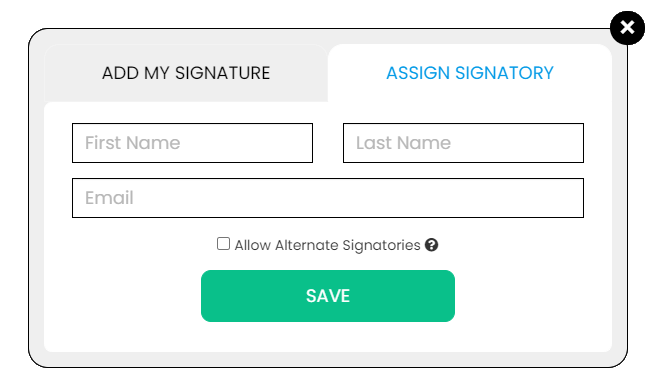
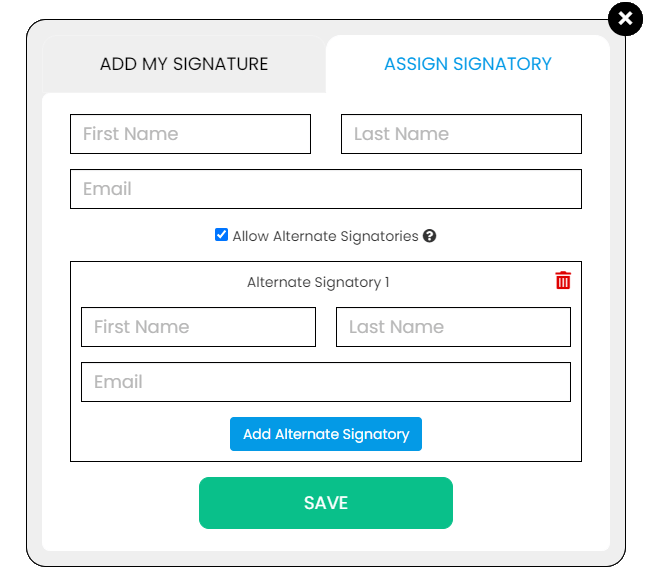
Use the Signature button to add a signature to your document and to assign a signatory. You will have the option to Type, Draw, or Upload your signature.

Use the Image button to add an image, logo, or photo to your document. The accepted formats are .jpg, .jpeg, and .png.

Use the Date button to add a date to your document. The default date format is MM/DD/YYYY, but you can modify it by typing the date format you prefer. Initially, it will display the current date, but you will be able to change it. To customize the date, you will be able to access additional tools, such as the Move text button, the Font Styles and the Font Sizes drop-down lists, the Bold, Italics, and Underline buttons, and the text alignment options, such as Left, Center, Right, and Justified buttons.

Use the Check button to add a check symbol to your document. To customize the check symbol, you will be able to access the Size adjustment tool.

Use the Cross button to add a cross symbol to your document. To customize the cross symbol, you will be able to access the Size adjustment tool.

Use the Whiteout button to white out or erase items in your document.

Use the Redact button to censor items in your document.

Use the Marker button to highlight items in your document. To customize the marker, you will be able to access the Color selection and Size adjustment tools.

Use the Insert button to add Icons, Header, Footer, Watermark, Comment, and Sticky Note to your document. The Icons button allows you select shapes such as Arrow Left, Arrow Right, Arrow Up, Arrow Down, Thumbs Up Thumbs Down, Question Mark, Exclamation Point, Circle, and Square; the Header button allows you to add a header; the Footer button allows you to add a footer; the Watermark button allows you to add a watermark by typing or uploading an image; the Comment button allows you to leave a comment in any part of the document; the Sticky Note allows you to post a note to any part of the document.

Use the Zoom button to zoom in and zoom out your document.

Use the Undo button to negate the last command done to your document.

Use the Redo button to reverse your last Undo.

Use the Help button to read instructions about how to use PDFRun’s online editor.

Use the Send for Signing button when you are done editing your document and you want to send it to another person for signing. You will need to provide the information of the recipient of your document to proceed.

Use the Email button when you are done editing your document and you want to send it to another person via email. You will need to provide the information of the recipient of your document to proceed.

Use the Download button when you are done editing your document and you want to save a copy of it to your device.

Use the Done button to finish editing your document.