Severity: Notice
Message: Undefined variable: pagecount
Filename: controllers/document.php
Line Number: 4926

Unlock these Enterprise features for free for 7 days:
Title: DL-49 South Carolina Driver License Replacement
Document ID: 0
Document Completed:
No Document History |

Title: DL-49 South Carolina Driver License Replacement
Document ID: 0
Document Completed:
No Document History |

The name of the person or company you'll enter will be used in the E-signature Agreement.
All signature fields must have an assigned signatory before the document can be sent for signing.
Please add signature fields and assign signatories before sending out the document.
The document will not be sent for signing.
Any changes to this document will require you to resend the document for signing.
All signatures on this document will be deleted and all signatories will be notified.
Document will only be sent to signatories who have not yet signed.
Copy the link
Your Session is already expired. Please login.

It is important to keep our proofs of identity with us all the time, so that it comes in handy whenever we need it. These could be anything from passports, identification cards, or Social Security cards. One of the most important cards to keep with you is the driver’s license card, which is very essential to bring whenever you use your car to travel.
However, there are some things that are out of our control, and even though we strive to keep our cards safe, they may become lost, stolen, or destroyed. When this happens, we cannot use the said card anymore. But this does not mean the end--you can always get a replacement for your driver’s license.
For you to have your driver’s license replaced, you need to fill out Form DL-49 or the Affidavit for Lost/Surrendered Driver’s License Form.
You have to immediately report your lost or surrendered driver’s license, because this is central to your driving privileges. If you do not have one, you may not be allowed to drive your car. And even if you do drive, when you commit a traffic violation and you’re not able to present a license or permit to the enforcer, you will be subject to penalties and possibly criminal liabilities. It may get you fined, jailed, or both.
Aside from the reasons presented above, it is important that you immediately report your lost cards to prevent identity theft. It is possible that someone else would use your cards to make transactions without your knowledge. They might use it to commit illegal activities, and all of these would be under your name. You may be made liable to these acts even if you have no knowledge that all of these were happening. To prevent identity theft, report your lost driver’s license, beginner’s permit, or identification card as soon as possible.
In the event that your driver’s license is lost or stolen, report it immediately to the local police authorities. This is to avoid possible identity theft.
If your card is lost, stolen, or destroyed, you may apply for a replacement license online, by mail, or in person.
If you apply online, it is important that your DMV account is in good standing. This means that your driver’s license is valid and that you do not have outstanding reinstatement requirements. The DMV may not process your application if you have a suspended license or any outstanding reinstatement requirements.
In addition to that, you must also have a valid Visa, MasterCard, or Discover Card, which you will use to pay for the replacement fee.
However, online applications for driver’s license replacement are not available to all South Carolina drivers. In such instances, you must apply to the South Carolina DMV in person.
The form is only a page long and requires you to provide a few of your personal information.
In this form, you are also going to explain why you are applying for a replacement card.
You are required to provide all the needed information, but this does not necessarily mean that all sections are answered. Refer to the instructions below to know which sections in the form you have to have to answer.
Please also read through the form thoroughly first before writing so that you avoid making mistakes in the middle of the process.
Personal Information
Provide the following in the spaces provided at the top of the form:
Section 1
Section 1 should only be filled out if your driving privileges are currently suspended. In this case, you may not be able to surrender your driver’s license or beginner’s permit because of an incident that made you lose possession of the card.
Check the box next to the reason that is applicable in your situation.
In cases wherein your driver’s license or beginner’s permit could still be retrieved, you are still obligated to return your driver’s license or beginner’s permit. You would have to immediately surrender it to the South Carolina Department of Motor Vehicles.
Section 2
Section 2 should only be filled out if your driving privileges are not suspended. In this case, you may be requesting a driver’s license or beginner’s permit and your driving privileges are not suspended.
That’s it! You have filled out Form DL-49.
The fee for replacing your driver’s license is $10. This is regardless if your DL card is lost, stolen, or destroyed.
You can send your accomplished Form DL-49 in person at the South Carolina DMV. This would be the quickest way to have your license replaced.
However, you can also opt to send the form through mail at the address below:
Department of Motor Vehicles
PO Box 1498
Blythewood, SC 29016
If by mail, remember to also send a check for payment.
The South Carolina DMV will require you to submit official documents that serve as proof of your identity. According to the DMV, these are the documents that they’re accepting:
Usually, the DMV would require that you submit the same documents that you used when applying for your driver’s license.
Further information
For further clarification about the replacement process and the additional documents to submit, visit the South Carolina DMV Office, or you may call at 803-896-5000. You may also email the DMV at help@scdmvonline.com.
Important reminder
It is recommended that you keep copies of your documents, especially your driver’s license and car registration. This is to prove your identity in case someone else uses your identity in your driver’s license. This would also make the driver’s license replacement process easier.
PDFRun is an online PDF editor platform that enables its users to find, edit, electronically sign, download, and share forms and documents anytime and anywhere, using any device.
With a cloud-based archive of thousands of forms and documents, it fast-tracks the document management processes of many professionals and businesses of different sizes, across many industries.
Through its user-friendly and easy-to-navigate interface, users may also upload their own files to fill out, edit, convert, e-sign, and share to multiple recipients to request signatures.
PDFRun streamlines document management processes, improves documentation workflows, and enhances its users’ efficiency, resulting in better productivity and an increase in work output.
1-888-245-8984
Monday - Friday
7:00AM to 4:00PM PST
Use the File button to access functions such as New PDF, New Page, Organize Pages, Save, Save As, Print, Export, Share Link, Email, and Postal Mail.

Use the Text button to add texts, numbers, and symbols to your document. To customize the texts, you will be able to access additional tools, such as the Bold, Italics, Underline, and Strikethrough buttons, the text alignment options, such as Left, Center, Right, and Justified buttons, the Bulleted List and Numbered List buttons, the Font Styles and the Font Sizes drop-down lists, and the Font Color and Font Highlight Color selection tools.

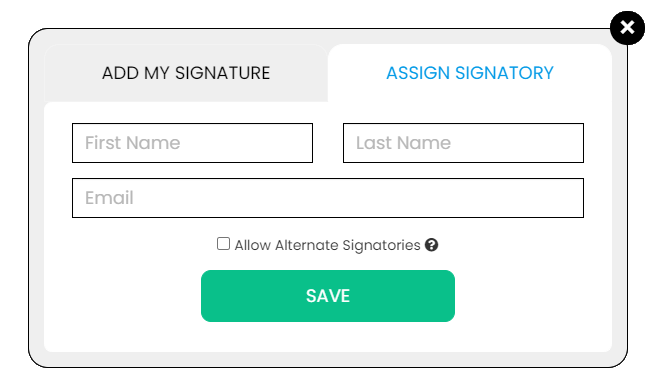
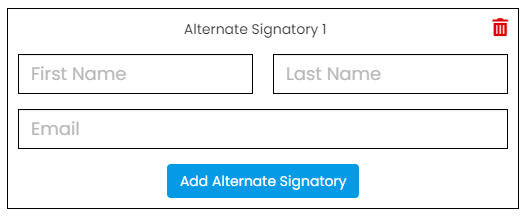
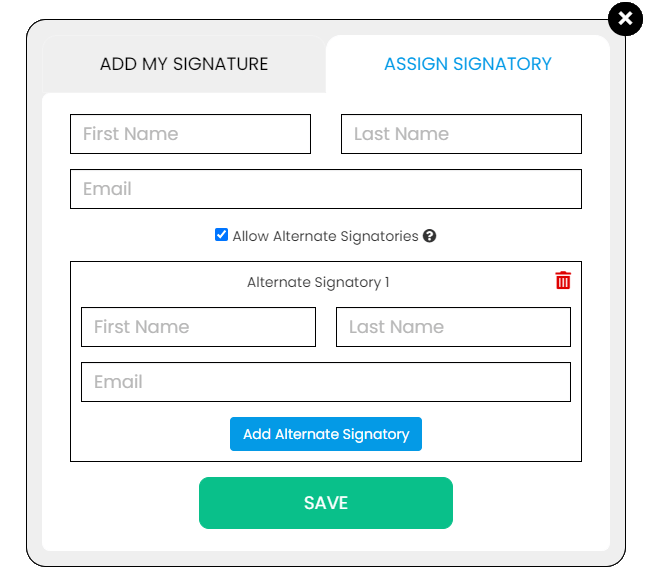
Use the Signature button to add a signature to your document and to assign a signatory. You will have the option to Type, Draw, or Upload your signature.

Use the Image button to add an image, logo, or photo to your document. The accepted formats are .jpg, .jpeg, and .png.

Use the Date button to add a date to your document. The default date format is MM/DD/YYYY, but you can modify it by typing the date format you prefer. Initially, it will display the current date, but you will be able to change it. To customize the date, you will be able to access additional tools, such as the Move text button, the Font Styles and the Font Sizes drop-down lists, the Bold, Italics, and Underline buttons, and the text alignment options, such as Left, Center, Right, and Justified buttons.

Use the Check button to add a check symbol to your document. To customize the check symbol, you will be able to access the Size adjustment tool.

Use the Cross button to add a cross symbol to your document. To customize the cross symbol, you will be able to access the Size adjustment tool.

Use the Whiteout button to white out or erase items in your document.

Use the Redact button to censor items in your document.

Use the Marker button to highlight items in your document. To customize the marker, you will be able to access the Color selection and Size adjustment tools.

Use the Insert button to add Icons, Header, Footer, Watermark, Comment, and Sticky Note to your document. The Icons button allows you select shapes such as Arrow Left, Arrow Right, Arrow Up, Arrow Down, Thumbs Up Thumbs Down, Question Mark, Exclamation Point, Circle, and Square; the Header button allows you to add a header; the Footer button allows you to add a footer; the Watermark button allows you to add a watermark by typing or uploading an image; the Comment button allows you to leave a comment in any part of the document; the Sticky Note allows you to post a note to any part of the document.

Use the Zoom button to zoom in and zoom out your document.

Use the Undo button to negate the last command done to your document.

Use the Redo button to reverse your last Undo.

Use the Help button to read instructions about how to use PDFRun’s online editor.

Use the Send for Signing button when you are done editing your document and you want to send it to another person for signing. You will need to provide the information of the recipient of your document to proceed.

Use the Email button when you are done editing your document and you want to send it to another person via email. You will need to provide the information of the recipient of your document to proceed.

Use the Download button when you are done editing your document and you want to save a copy of it to your device.

Use the Done button to finish editing your document.