Severity: Notice
Message: Undefined variable: pagecount
Filename: controllers/document.php
Line Number: 4926

Unlock these Enterprise features for free for 7 days:
Title: New York Driver Record Request (MV-15C)
Document ID: 0
Document Completed:
No Document History |

Title: New York Driver Record Request (MV-15C)
Document ID: 0
Document Completed:
No Document History |

The name of the person or company you'll enter will be used in the E-signature Agreement.
All signature fields must have an assigned signatory before the document can be sent for signing.
Please add signature fields and assign signatories before sending out the document.
The document will not be sent for signing.
Any changes to this document will require you to resend the document for signing.
All signatures on this document will be deleted and all signatories will be notified.
Document will only be sent to signatories who have not yet signed.
Copy the link
Your Session is already expired. Please login.

Form MV-15C or the New York Request for Driving Record Information form is a New York Department of Motor Vehicles (DMV) form exclusive to holders of a New York driver’s license used to obtain their driving record.
Your New York driving record contains the status of your driver’s license, convictions, suspensions, revocations, accidents, and accident prevention course completion. It shows whether your license has been suspended or revoked and records traffic tickets and fines you received. While driving records typically show some personal information, such as legal name and birth date, social security numbers are not recorded in the state of New York.
You can use the New york Request for Driving Record Information form to request your or another person’s record.
When submitting this form, you need to show documents to prove your identity. In addition, the Vehicle and Traffic Law requires that DMV charge a $10 search fee. Even if the record is not found, you still have to pay the fee. If the DMV is not able to find the record with the information you provided, it will send you a written notification to advise you that the requested record was not found.
The New York Request for Driving Record Information form is a two-page document. A separate form must be used for each search requested.
Provide all the information required correctly to avoid any problems. In addition, deliberately making any false statements or concealing a material fact in the form is a criminal offense, punishable by the law. If you make any false representation to get any personal information from an individual’s Motor Vehicles records, will be subject to federal criminal fines.
Page 1
Select “I request my own record” or “I request another person’s record.” If you select the former, complete Section A only. If you select the latter, complete Section A and Section B, then write your initials next to the “permissible use” that applies to your request on Page 2.
A. Information about the driver record you request
Driver License ID#
Enter your driver’s license identification number.
Name
Enter your full legal name in the following format: Last, First, Middle.
Date of Birth
Enter your date of birth in the following format: Month, Day, Year.
Sex
Mark M for male or F for female.
B. Your Information
Name
Enter your full legal name in the following format: Last, First, Middle.
Date of Birth
Enter your date of birth in the following format: Month, Day, Year.
Sex
Mark M for male or F for female.
Address
Enter your full address, including street, apartment number, city or town, state, and ZIP code.
Sign Here
Provide your signature.
Date
Enter the date you signed the form.
Credit Card Authorization
Sign Here
Provide your signature. By doing so, you authorize the use of your credit card for payment of any fees in connection with the request and understand that you must be present for the transaction.
Cardholder-Sign Name in Full
Enter your full legal name.
Date
Enter the date you signed the form.
Page 2
List of Permissible Uses
Check the items that apply:
1. Use in any civil, criminal, administrative, or arbitral proceeding in any court or agency, including the service of process, investigation in anticipation of litigation, and the execution or enforcement of judgments and orders or pursuant to a court order.
2. Use by an insurer or insurance support organization or self-insured entity in claims investigations, anti-fraud activities, rating or underwriting activities.
3. Use in providing notice to the owners of towed or impounded vehicles.
4. Use by an employer, its agent or insurer to obtain information relating to the holder of a commercial driver’s license required under Chapter 3 13 of title 49 of the U.S.C.
5. For use in the normal course of business by a legitimate business or its agents, employees, or contractors, but only-
a. to verify the accuracy of personal information submitted by the individual to the business or its agents, employees, or contractors; and
b. if such information as so submitted is not correct or is no longer correct, to obtain the correct information, but only for the purposes of preventing fraud by, pursuing legal remedies against, or recovering on a debt or security interest against, the individual.
6. Use required under NYS Vehicle and Traffic Law, Article 19A - Special Requirements for Bus Drivers.
7. Use required under NYS Vehicle and Traffic Law, Article 19B - Special Requirements for Commercial Motor Carriers.
8. Use by any government agency in carrying out its functions.
9. Use by any private person or entity acting on behalf of a federal, state, or local agency in carrying out its functions.
10. Use in matters of motor vehicle or driver safety.
11. Use in matters of motor vehicle theft.
12. Use in matters of motor vehicle emissions
13. Use in matters of motor vehicle product alterations, recalls or advisories.
14. Use in performance monitoring of motor vehicles, motor vehicle parts and dealers.
15. Use in motor vehicle market research activities, including survey research.
16. Use in removal of non-owner records from the original owner records of motor vehicle manufacturers.
17. Use in the operation of private toll transportation facilities.
18. For use by any requester, if the requester demonstrates it has obtained the written consent of the individual to whom the information pertains. (May use form MV-15GC).
19. Use specifically authorized under NYS law, IF such use is related to the operation of a motor vehicle or public safety.Cite the specific NYS law in the space provided.
20. Use in research activities and in producing statistical reports, as long as the personal information is not published, disclosed or used to contact individuals.
PDFRun is an online PDF editor platform that enables its users to find, edit, electronically sign, download, and share forms and documents anytime and anywhere, using any device.
With a cloud-based archive of thousands of forms and documents, it fast-tracks the document management processes of many professionals and businesses of different sizes, across many industries.
Through its user-friendly and easy-to-navigate interface, users may also upload their own files to fill out, edit, convert, e-sign, and share to multiple recipients to request signatures.
PDFRun streamlines document management processes, improves documentation workflows, and enhances its users’ efficiency, resulting in better productivity and an increase in work output.
1-888-245-8984
Monday - Friday
7:00AM to 4:00PM PST
Use the File button to access functions such as New PDF, New Page, Organize Pages, Save, Save As, Print, Export, Share Link, Email, and Postal Mail.

Use the Text button to add texts, numbers, and symbols to your document. To customize the texts, you will be able to access additional tools, such as the Bold, Italics, Underline, and Strikethrough buttons, the text alignment options, such as Left, Center, Right, and Justified buttons, the Bulleted List and Numbered List buttons, the Font Styles and the Font Sizes drop-down lists, and the Font Color and Font Highlight Color selection tools.

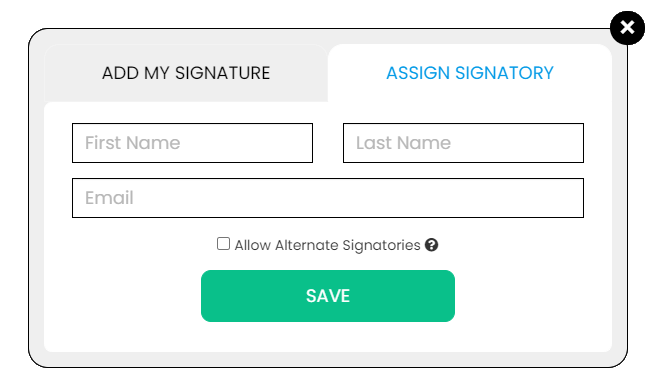
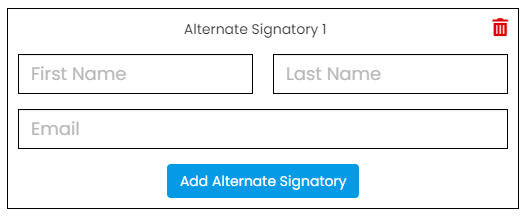
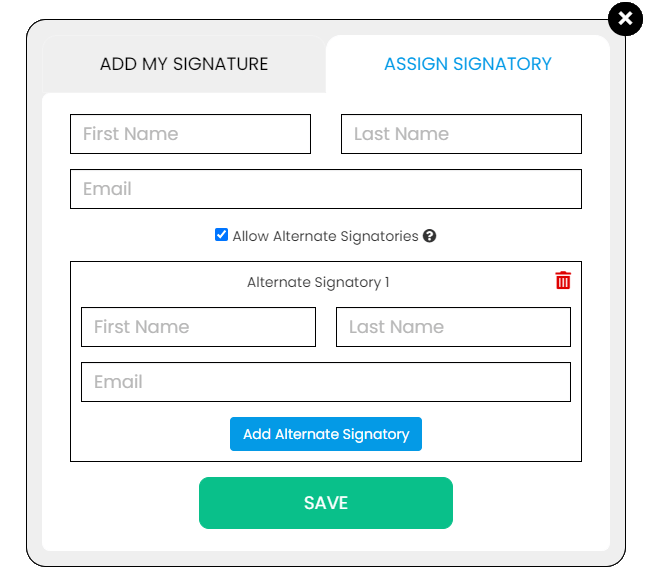
Use the Signature button to add a signature to your document and to assign a signatory. You will have the option to Type, Draw, or Upload your signature.

Use the Image button to add an image, logo, or photo to your document. The accepted formats are .jpg, .jpeg, and .png.

Use the Date button to add a date to your document. The default date format is MM/DD/YYYY, but you can modify it by typing the date format you prefer. Initially, it will display the current date, but you will be able to change it. To customize the date, you will be able to access additional tools, such as the Move text button, the Font Styles and the Font Sizes drop-down lists, the Bold, Italics, and Underline buttons, and the text alignment options, such as Left, Center, Right, and Justified buttons.

Use the Check button to add a check symbol to your document. To customize the check symbol, you will be able to access the Size adjustment tool.

Use the Cross button to add a cross symbol to your document. To customize the cross symbol, you will be able to access the Size adjustment tool.

Use the Whiteout button to white out or erase items in your document.

Use the Redact button to censor items in your document.

Use the Marker button to highlight items in your document. To customize the marker, you will be able to access the Color selection and Size adjustment tools.

Use the Insert button to add Icons, Header, Footer, Watermark, Comment, and Sticky Note to your document. The Icons button allows you select shapes such as Arrow Left, Arrow Right, Arrow Up, Arrow Down, Thumbs Up Thumbs Down, Question Mark, Exclamation Point, Circle, and Square; the Header button allows you to add a header; the Footer button allows you to add a footer; the Watermark button allows you to add a watermark by typing or uploading an image; the Comment button allows you to leave a comment in any part of the document; the Sticky Note allows you to post a note to any part of the document.

Use the Zoom button to zoom in and zoom out your document.

Use the Undo button to negate the last command done to your document.

Use the Redo button to reverse your last Undo.

Use the Help button to read instructions about how to use PDFRun’s online editor.

Use the Send for Signing button when you are done editing your document and you want to send it to another person for signing. You will need to provide the information of the recipient of your document to proceed.

Use the Email button when you are done editing your document and you want to send it to another person via email. You will need to provide the information of the recipient of your document to proceed.

Use the Download button when you are done editing your document and you want to save a copy of it to your device.

Use the Done button to finish editing your document.