Severity: Notice
Message: Undefined variable: pagecount
Filename: controllers/document.php
Line Number: 4926

Unlock these Enterprise features for free for 7 days:
Title: North Dakota Driver Record Request (SFN 51386)
Document ID: 0
Document Completed:
No Document History |
Title: North Dakota Driver Record Request (SFN 51386)
Document ID: 0
Document Completed:
No Document History |

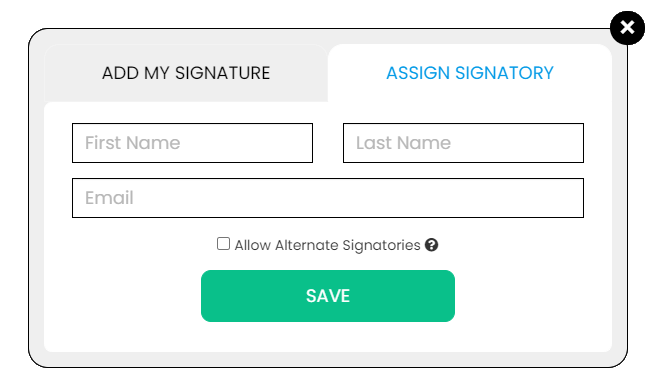
The name of the person or company you'll enter will be used in the E-signature Agreement.
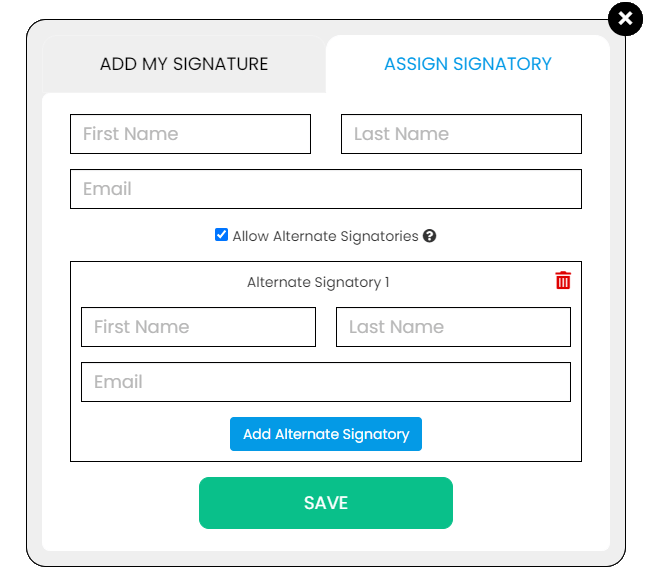
All signature fields must have an assigned signatory before the document can be sent for signing.
Please add signature fields and assign signatories before sending out the document.
The document will not be sent for signing.
Any changes to this document will require you to resend the document for signing.
All signatures on this document will be deleted and all signatories will be notified.
Document will only be sent to signatories who have not yet signed.
Copy the link
Your Session is already expired. Please login.

Form SFN 51386, Request for Driver Abstract, or the North Dakota Driving Record Request Form is a document used to request driving records in North Dakota.
Driving records contain the:
“Subject” refers to the individual who wants to obtain his or her driving record. It may be the requestor or the person who authorized the requestor to obtain his or her driving record.
“Requestor” refers to the person filing the North Dakota Driving Record Request Form to request his or her or another person's driving record.
Driver License Number
Enter the subject's driver’s license number.
Date of Birth
Enter the subject's birthdate.
Subject's Name
Enter the subject's name.
Subject's Address
Enter the subject's street address.
City
Enter the city where the subject lives.
State
Enter the state where the subject lives.
ZIP Code
Enter the subject's ZIP code.
Name of Requestor
Enter your name.
Company Name
Enter your company name, if applicable.
Mailing Address
Enter your mailing address.
City
Enter the city where you live.
State
Enter the state where you live.
ZIP Code
Enter your ZIP code.
Signature of Requestor
Enter your signature.
Date
Enter the date upon signing the North Dakota Driving Record Request Form.
Send the driving record to:
Mark the appropriate box for the address where the driving record will be sent. You may choose either the subject's address or the requestor's address.
REQUESTOR'S INFORMATION
I am requesting a copy of my own record
Mark the box to use the North Dakota Driving Record Request Form to request a copy of your driving record. Then, enter the reason for the driving record request.
I am requesting the record of another person and their written consent is below.
Mark the box to use the North Dakota Driving Record Request Form to request a copy of another person's driving record. Then, have him or her sign it to show consent or written authorization.
Signature
Enter the signature of the person who authorized you to obtain his or her driving record.
Date
Enter the date when the person who authorized you to obtain his or her driving record has signed the North Dakota Driving Record Request Form.
THIS RECORD IS FOR:
a prospective employer of a Commercial Driver's License holder (must have written consent)
Mark the box if the driving record is for a prospective employer of a Commercial Driver's License holder.
an employer of a Commercial Driver's License holder
Mark the box if the driving record is for an employer of a Commercial Driver's License holder.
an employer or prospective employer for non-commercial driving purposes
Mark the box if the driving record is for an employer or prospective employer for non-commercial driving purposes.
a government agency, including any court or law enforcement agency performing its function for an approved purpose
Mark the box if the driving record is for a government agency, including any court or law enforcement agency performing its function for an approved purpose.
insurance purposes
Mark the box if the driving record is for insurance purposes.
use by a parent of a child under 18 years of age
Mark the box if the driving record is for use by a parent of a child under 18 years of age.
other
Mark the box if the driving record is for other purposes. Then, provide an explanation.
Each driving record request costs $3. Mail your accomplished North Dakota Driving Record Request Form and payment to Drivers License Division, ND Department of Transportation, 608 E Boulevard Ave., Bismarck ND 58505-0750.
You may also fax your North Dakota Driving Record Request Form, credit card number, expiration date, and V-code to (701) 328-2435.
The processing time for driving requests in North Dakota takes up to five to seven business days from the day the requestor has submitted his or her request.
The following are some of the purposes of the North Dakota Driving Record Request Form:
1. It can be used to obtain a driving record for insurance applications. Some car insurance companies may obtain a copy of an individual's driving record using the North Dakota Driving Record Request Form. The individual's driving record is used to assess his or her driving history and eligibility for coverage and set rates.
2. It can be used to obtain driving records for employment purposes. Most companies require applicants to furnish a driving record to assess their driving history that may be a basis for their personality or behavior, including their obedience to the rules or the law and accountability. It is also essential to job descriptions that involve driving company vehicles or operating vehicles for business purposes.
3. It can be used to ensure accurate information on driving records. Although state records are secured, individuals should obtain their driving records to check if all information in their driving history is true and correct. It will help them dispute incorrect information, keeping them from plausible troubles.
4. It can be used to request driving records for references. Employers are required to conduct critical research before hiring an applicant. It involves checking the applicant's background, such as driving and criminal records. Using the North Dakota Driving Record Request Form, employers can order the applicant's driving record. It is a reliable indicator of lifestyle risk, which helps employers determine if the applicant has a record of driving misconduct or negligence. Employers can also use the applicant's driving record to assess any criminal records, especially if he or she was arrested or punished due to driving under the influence (DUI) of a drug offense.
PDFRun is an online PDF editor platform that enables its users to find, edit, electronically sign, download, and share forms and documents anytime and anywhere, using any device.
With a cloud-based archive of thousands of forms and documents, it fast-tracks the document management processes of many professionals and businesses of different sizes, across many industries.
Through its user-friendly and easy-to-navigate interface, users may also upload their own files to fill out, edit, convert, e-sign, and share to multiple recipients to request signatures.
PDFRun streamlines document management processes, improves documentation workflows, and enhances its users’ efficiency, resulting in better productivity and an increase in work output.
1-888-245-8984
Monday - Friday
7:00AM to 4:00PM PST
Use the File button to access functions such as New PDF, New Page, Organize Pages, Save, Save As, Print, Export, Share Link, Email, and Postal Mail.

Use the Text button to add texts, numbers, and symbols to your document. To customize the texts, you will be able to access additional tools, such as the Bold, Italics, Underline, and Strikethrough buttons, the text alignment options, such as Left, Center, Right, and Justified buttons, the Bulleted List and Numbered List buttons, the Font Styles and the Font Sizes drop-down lists, and the Font Color and Font Highlight Color selection tools.
Use the Signature button to add a signature to your document and to assign a signatory. You will have the option to Type, Draw, or Upload your signature.

Use the Image button to add an image, logo, or photo to your document. The accepted formats are .jpg, .jpeg, and .png.

Use the Date button to add a date to your document. The default date format is MM/DD/YYYY, but you can modify it by typing the date format you prefer. Initially, it will display the current date, but you will be able to change it. To customize the date, you will be able to access additional tools, such as the Move text button, the Font Styles and the Font Sizes drop-down lists, the Bold, Italics, and Underline buttons, and the text alignment options, such as Left, Center, Right, and Justified buttons.
Use the Check button to add a check symbol to your document. To customize the check symbol, you will be able to access the Size adjustment tool.

Use the Cross button to add a cross symbol to your document. To customize the cross symbol, you will be able to access the Size adjustment tool.

Use the Whiteout button to white out or erase items in your document.
Use the Redact button to censor items in your document.
Use the Marker button to highlight items in your document. To customize the marker, you will be able to access the Color selection and Size adjustment tools.
Use the Insert button to add Icons, Header, Footer, Watermark, Comment, and Sticky Note to your document. The Icons button allows you select shapes such as Arrow Left, Arrow Right, Arrow Up, Arrow Down, Thumbs Up Thumbs Down, Question Mark, Exclamation Point, Circle, and Square; the Header button allows you to add a header; the Footer button allows you to add a footer; the Watermark button allows you to add a watermark by typing or uploading an image; the Comment button allows you to leave a comment in any part of the document; the Sticky Note allows you to post a note to any part of the document.

Use the Zoom button to zoom in and zoom out your document.

Use the Undo button to negate the last command done to your document.
Use the Redo button to reverse your last Undo.

Use the Help button to read instructions about how to use PDFRun’s online editor.

Use the Send for Signing button when you are done editing your document and you want to send it to another person for signing. You will need to provide the information of the recipient of your document to proceed.

Use the Email button when you are done editing your document and you want to send it to another person via email. You will need to provide the information of the recipient of your document to proceed.

Use the Download button when you are done editing your document and you want to save a copy of it to your device.

Use the Done button to finish editing your document.