Severity: Notice
Message: Undefined variable: pagecount
Filename: controllers/document.php
Line Number: 4926

Unlock these Enterprise features for free for 7 days:
Title: W4 (2019)
Document ID: 0
Document Completed:
No Document History |

Title: W4 (2019)
Document ID: 0
Document Completed:
No Document History |

The name of the person or company you'll enter will be used in the E-signature Agreement.
All signature fields must have an assigned signatory before the document can be sent for signing.
Please add signature fields and assign signatories before sending out the document.
The document will not be sent for signing.
Any changes to this document will require you to resend the document for signing.
All signatures on this document will be deleted and all signatories will be notified.
Document will only be sent to signatories who have not yet signed.
Copy the link
Your Session is already expired. Please login.

Form W-4, officially theEmployee’s Withholding Certificate, is an Internal Revenue Service (IRS) form an employee fills out and submits to his or her employer. If you are a new employee or there are significant changes in your personal life that affect your finances, including marriage or divorce and a pay cut or big raise, Form W-4 lets you notify your employer of the amount of federal tax you wish to be withheld from your paycheck in each pay period. You must complete Form W-4 to ensure that your employer can withhold the correct federal income tax from your pay.
Form W-4 affects the amount of refund you will receive or the tax you will owe when you file your tax refund. To avoid owing the IRS an unexpectedly large sum of money, you should properly balance your taxes. In addition, underpaying your taxes may result in penalties or interest. If you withhold too much tax, you can expect to receive a substantial tax refund. However, this could lead to budgeting-related problems. Moreover, withholding too much tax is granting the government an interest-free loan. Taxpayers do not get their overpaid taxes until April when they file tax returns.
In general, you complete and submit Form W-4 to your employer when you start a new job; nonetheless, you can submit an updated form any time, throughout the course of your employment, if you want to adjust your withholding allowances. Your employer, on your behalf, is responsible for sending the money it withholds from your pay to the IRS, with your name and Social Security Number (SSN) for precise taxpayer identification.
You may get Form W-4 from your employer, the official IRS website, or online companies that have a library of legal forms.
NOTE:The IRS introduced the 2020 version of Form W-4. The previous versions let taxpayers determine the amount of federal tax their employers should withhold from their pay. They came with a Personal Allowances Worksheet to help taxpayers figure out how many allowances to claim. The IRS redesigned the 2020 version and removed the option to claim personal allowances. For professionals who will start work or want to adjust their withholding amount due to a major life change in 2020, the form to use is the 2020 version. Otherwise, if you started working for your employer before 2020 or do not need to update the amount of your federal income tax, you do not need to complete the new Form W-4.
This guide applies to Form W-4 before its 2020 upgrade.
Completing Form W-4 is straightforward, requiring only necessary personal and allowances-related information, as well as any additional amount to be withheld from paychecks, if applicable. The difficult part is determining the number of allowances to claim. To help taxpayers figure out how many to claim, Form W-4 comes with an allowances worksheet — the more tax allowances taxpayers claim, the less tax will be withheld from their paychecks.
Box 1requires your full legal name and address.
Box 2requires your Social Security Number (SSN). Your employer will use this information when he or she sends the withheld money from your paycheck to the IRS.
Box 3asks for your marital status. Select the “Married, but withhold at higher Single rate” if you are married and your spouse also works to reduce your apprehension about not having enough tax withheld.
Box 4is to be used if you had your name legally changed and have not received an updated Social Security card reflecting your name change.
Box 5asks for the total number of allowances you are claiming. Form W-4 contains a Personal Allowance Worksheet to help you determine how many allowances you are allowed to claim. Here are the guidelines in using the worksheet:
The standard is to claim one allowance if no one else claims you as a dependent. If you are 16 years old and below and filling out the W-4 form for your summer internship or after-school job, but your parents claim you as a dependent, you are not allowed to claim one allowance.
If you are married filing jointly, you can claim one allowance.
If you are the head of your household, you can claim one allowance.
If you are single or married filing separately and only have on one job; or if you are married filing jointly and have only one job and your spouse does not work; or if your wages from your second job or your spouse’s wages, or the total of both, are $1,500.00 or less, you can claim one allowance.
Depending on your income and the number of children you have, you can claim allowances for each of your eligible children. Do not forget to read the conditions to compute accurately how many allowances you are allowed.
You can claim allowances for other dependents, a qualifying child or relative who lives with you and whom you support financially. Do not forget to read the conditions to compute accurately how many allowances you are allowed.
If you have other credits, you may be entitled to additional allowances. Review the necessary IRS publication worksheets for accuracy.
Add up all the numbers from lines A through G.
Box 6asks for any additional amount that you want to withhold from your paycheck.
Box 7has a list of conditions: Write “Exempt” if you meet the conditions.
You can use the W-4 form to claim exemption from withholding given that you had no income tax liability in the prior year and you do not expect a tax liability in the current year. If you are not exempt, you will have to complete the following worksheets:
Employee’s signature and daterequires your signature and the date of signing.
Box 8asks for the employer’s name and address.
Box 9asks for your date of employment.
Box 10requires the Employer Identification Number (EIN).
The IRS requires employers to completeboxes 8and10and if sending to them andboxes 8, 9,and10if sending to State Directory of New Hires.
Once completed, you can give the form to your company’s payroll or human resource department. You should not submit it directly to the IRS. Your Form W-4 stays in effect until you update it.
PDFRun is an online PDF editor platform that enables its users to find, edit, electronically sign, download, and share forms and documents anytime and anywhere, using any device.
With a cloud-based archive of thousands of forms and documents, it fast-tracks the document management processes of many professionals and businesses of different sizes, across many industries.
Through its user-friendly and easy-to-navigate interface, users may also upload their own files to fill out, edit, convert, e-sign, and share to multiple recipients to request signatures.
PDFRun streamlines document management processes, improves documentation workflows, and enhances its users’ efficiency, resulting in better productivity and an increase in work output.
1-888-245-8984
Monday - Friday
7:00AM to 4:00PM PST
Use the File button to access functions such as New PDF, New Page, Organize Pages, Save, Save As, Print, Export, Share Link, Email, and Postal Mail.

Use the Text button to add texts, numbers, and symbols to your document. To customize the texts, you will be able to access additional tools, such as the Bold, Italics, Underline, and Strikethrough buttons, the text alignment options, such as Left, Center, Right, and Justified buttons, the Bulleted List and Numbered List buttons, the Font Styles and the Font Sizes drop-down lists, and the Font Color and Font Highlight Color selection tools.

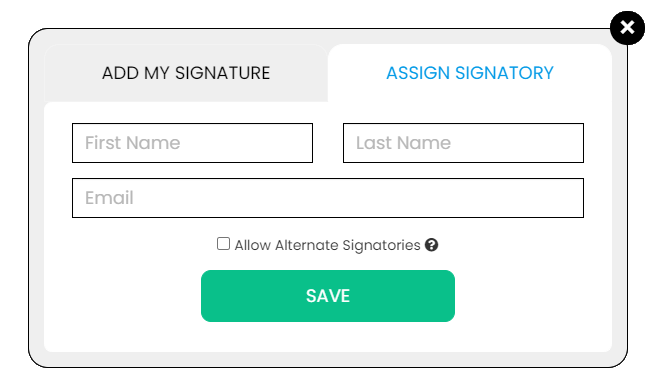
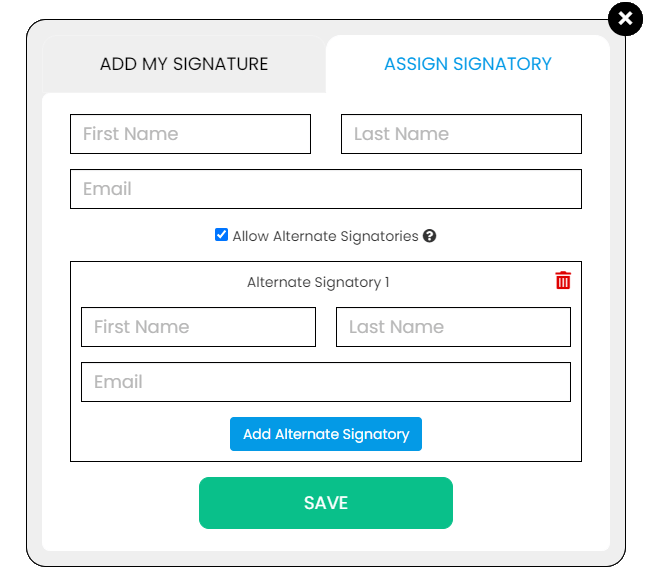
Use the Signature button to add a signature to your document and to assign a signatory. You will have the option to Type, Draw, or Upload your signature.

Use the Image button to add an image, logo, or photo to your document. The accepted formats are .jpg, .jpeg, and .png.

Use the Date button to add a date to your document. The default date format is MM/DD/YYYY, but you can modify it by typing the date format you prefer. Initially, it will display the current date, but you will be able to change it. To customize the date, you will be able to access additional tools, such as the Move text button, the Font Styles and the Font Sizes drop-down lists, the Bold, Italics, and Underline buttons, and the text alignment options, such as Left, Center, Right, and Justified buttons.

Use the Check button to add a check symbol to your document. To customize the check symbol, you will be able to access the Size adjustment tool.

Use the Cross button to add a cross symbol to your document. To customize the cross symbol, you will be able to access the Size adjustment tool.

Use the Whiteout button to white out or erase items in your document.

Use the Redact button to censor items in your document.

Use the Marker button to highlight items in your document. To customize the marker, you will be able to access the Color selection and Size adjustment tools.

Use the Insert button to add Icons, Header, Footer, Watermark, Comment, and Sticky Note to your document. The Icons button allows you select shapes such as Arrow Left, Arrow Right, Arrow Up, Arrow Down, Thumbs Up Thumbs Down, Question Mark, Exclamation Point, Circle, and Square; the Header button allows you to add a header; the Footer button allows you to add a footer; the Watermark button allows you to add a watermark by typing or uploading an image; the Comment button allows you to leave a comment in any part of the document; the Sticky Note allows you to post a note to any part of the document.

Use the Zoom button to zoom in and zoom out your document.

Use the Undo button to negate the last command done to your document.

Use the Redo button to reverse your last Undo.

Use the Help button to read instructions about how to use PDFRun’s online editor.

Use the Send for Signing button when you are done editing your document and you want to send it to another person for signing. You will need to provide the information of the recipient of your document to proceed.

Use the Email button when you are done editing your document and you want to send it to another person via email. You will need to provide the information of the recipient of your document to proceed.

Use the Download button when you are done editing your document and you want to save a copy of it to your device.

Use the Done button to finish editing your document.