Severity: Notice
Message: Undefined variable: pagecount
Filename: controllers/document.php
Line Number: 4926

Unlock these Enterprise features for free for 7 days:
Title: 8868 (2020)
Document ID: 0
Document Completed:
No Document History |

Title: 8868 (2020)
Document ID: 0
Document Completed:
No Document History |

The name of the person or company you'll enter will be used in the E-signature Agreement.
All signature fields must have an assigned signatory before the document can be sent for signing.
Please add signature fields and assign signatories before sending out the document.
The document will not be sent for signing.
Any changes to this document will require you to resend the document for signing.
All signatures on this document will be deleted and all signatories will be notified.
Document will only be sent to signatories who have not yet signed.
Copy the link
Your Session is already expired. Please login.

Tax-exempt organizations use Form 8868, Application for Automatic Extension of Time To File an Exempt Organization Return, to request an automatic filing extension of 6 months to file their return.
Filing Form 8868 only extends the time to file your return and does not extend the time to pay any tax due. The IRS charges penalties for late payment and late filing; thus, to avoid penalties and interest, you must pay taxes and file your return on time. If you need more time to file your return, submit Form 8868 to the IRS.
You may use Form 8868 to request a 6-month automatic extension of time to file any of the following forms:
Form 8868 is a single-page form. Answer all the required items accurately to avoid any problems with your application for an automatic extension of time to file your return.
Name of exempt organization or other filer
Provide the name of the exempt organization or filer. It may be an exempt organization, a non-exempt organization, including a disqualified person or a foundation manager trustee, or an individual.
Taxpayer identification number (TIN)
Individuals and exempt organizations such as corporations, private foundations, and trusts must enter their TIN.
Number, street, and room or suite no.
City, town or post office, state, and ZIP code.
Provide the complete address of the organization.
Here are additional instructions from the IRS:
If the Post Office does not deliver mail to the street address and the exempt organization has a P.O. box, show the box number instead of the street address.
If the organization receives its mail in care of a third party (such as an accountant or an attorney), enter on the street address line “C/O” followed by the third party’s name and street address or P.O. box
If the address is outside the United States or its possessions or territories, in the space for “city or town, state, and ZIP code,” enter the information in the following order: city, province or state, and country. Follow the country’s practice for entering the postal code. Do not abbreviate the country’s name.
If the organization’s mailing address has changed since it filed its last return, use Form 8822, Change of Address, to notify the IRS of the change. A new address shown on Form 8868 will not update the organization’s record.
Enter the Return Code for the type of return that Form 8868 is for in the space provided. File only one Return Code; file a separate Form 8868 for each return.
Return Codes:
The books are in the care of
Provide the name of the one who takes care of the books.
Telephone No.
Provide the telephone number of the one who takes care of the books.
Fax No.
Provide the fax number of the one who takes care of the books.
Mark the appropriate checkbox if the organization does not have an office or place of business in the United States.
For a Group Return, enter the organization’s four-digit Group Exemption Number (GEN).
If Form 8868 is for the whole group, mark the appropriate checkbox.
If Form 8868 is for part of the group, mark the appropriate checkbox then, attach a list with the names and TINs of all members the extension is for.
Line 1
Enter an extension date that is not later than six months from the original due date of the return. Provide also the additional required dates.
Line 2
If the tax year entered in Line 1 is for less than 12 months, mark the appropriate checkbox: Initial Return, Final Return, or Change in Accounting Period.
Line 3a
If the application is for Forms 990-BL, 990-PF, 990-T, 4720, or 6069, enter the tentative tax, less any non-refundable credits in the space provided.
Line 3b
If the application is for Forms 990-PF, 990-T, 4720, or 6069, enter any refundable credits and estimated tax payments made in the space provided. Include any prior year overpayment allowed as a credit.
Line 3c Balance Due
Subtract Line 3b from Line 3a and enter the value in the space provided. Include your payment with this form, if required, using EFTPS (Electronic Federal Tax Payment System).
File Form 8868 by the due date of the return you are requesting an extension for.
If you are filing an extension for Form 8870 or not filing electronically, send the application to:
Department of the Treasury
Internal Revenue Service Center
Ogden, UT 84201-0045
For details on electronic filing of Form 8868, visit:
www.irs.gov/e-file-providers/e-file-for-charities-and-non-profits
PDFRun is an online PDF editor platform that enables its users to find, edit, electronically sign, download, and share forms and documents anytime and anywhere, using any device.
With a cloud-based archive of thousands of forms and documents, it fast-tracks the document management processes of many professionals and businesses of different sizes, across many industries.
Through its user-friendly and easy-to-navigate interface, users may also upload their own files to fill out, edit, convert, e-sign, and share to multiple recipients to request signatures.
PDFRun streamlines document management processes, improves documentation workflows, and enhances its users’ efficiency, resulting in better productivity and an increase in work output.
1-888-245-8984
Monday - Friday
7:00AM to 4:00PM PST
Use the File button to access functions such as New PDF, New Page, Organize Pages, Save, Save As, Print, Export, Share Link, Email, and Postal Mail.

Use the Text button to add texts, numbers, and symbols to your document. To customize the texts, you will be able to access additional tools, such as the Bold, Italics, Underline, and Strikethrough buttons, the text alignment options, such as Left, Center, Right, and Justified buttons, the Bulleted List and Numbered List buttons, the Font Styles and the Font Sizes drop-down lists, and the Font Color and Font Highlight Color selection tools.

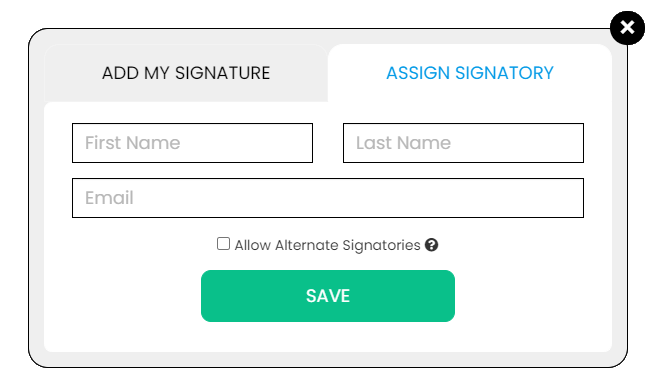
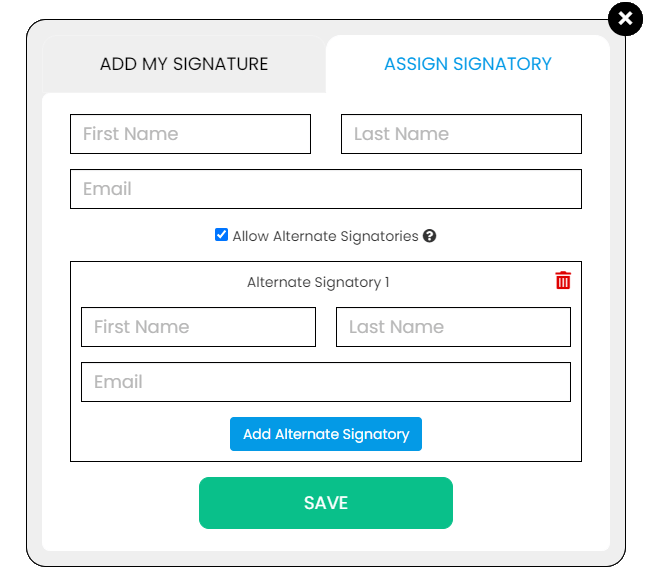
Use the Signature button to add a signature to your document and to assign a signatory. You will have the option to Type, Draw, or Upload your signature.

Use the Image button to add an image, logo, or photo to your document. The accepted formats are .jpg, .jpeg, and .png.

Use the Date button to add a date to your document. The default date format is MM/DD/YYYY, but you can modify it by typing the date format you prefer. Initially, it will display the current date, but you will be able to change it. To customize the date, you will be able to access additional tools, such as the Move text button, the Font Styles and the Font Sizes drop-down lists, the Bold, Italics, and Underline buttons, and the text alignment options, such as Left, Center, Right, and Justified buttons.

Use the Check button to add a check symbol to your document. To customize the check symbol, you will be able to access the Size adjustment tool.

Use the Cross button to add a cross symbol to your document. To customize the cross symbol, you will be able to access the Size adjustment tool.

Use the Whiteout button to white out or erase items in your document.

Use the Redact button to censor items in your document.

Use the Marker button to highlight items in your document. To customize the marker, you will be able to access the Color selection and Size adjustment tools.

Use the Insert button to add Icons, Header, Footer, Watermark, Comment, and Sticky Note to your document. The Icons button allows you select shapes such as Arrow Left, Arrow Right, Arrow Up, Arrow Down, Thumbs Up Thumbs Down, Question Mark, Exclamation Point, Circle, and Square; the Header button allows you to add a header; the Footer button allows you to add a footer; the Watermark button allows you to add a watermark by typing or uploading an image; the Comment button allows you to leave a comment in any part of the document; the Sticky Note allows you to post a note to any part of the document.

Use the Zoom button to zoom in and zoom out your document.

Use the Undo button to negate the last command done to your document.

Use the Redo button to reverse your last Undo.

Use the Help button to read instructions about how to use PDFRun’s online editor.

Use the Send for Signing button when you are done editing your document and you want to send it to another person for signing. You will need to provide the information of the recipient of your document to proceed.

Use the Email button when you are done editing your document and you want to send it to another person via email. You will need to provide the information of the recipient of your document to proceed.

Use the Download button when you are done editing your document and you want to save a copy of it to your device.

Use the Done button to finish editing your document.