Severity: Notice
Message: Undefined variable: pagecount
Filename: controllers/document.php
Line Number: 4926

Unlock these Enterprise features for free for 7 days:
Title: Texas Certificate of Termination of a Domestic Entity
Document ID: 0
Document Completed:
No Document History |

Title: Texas Certificate of Termination of a Domestic Entity
Document ID: 0
Document Completed:
No Document History |

The name of the person or company you'll enter will be used in the E-signature Agreement.
All signature fields must have an assigned signatory before the document can be sent for signing.
Please add signature fields and assign signatories before sending out the document.
The document will not be sent for signing.
Any changes to this document will require you to resend the document for signing.
All signatures on this document will be deleted and all signatories will be notified.
Document will only be sent to signatories who have not yet signed.
Copy the link
Your Session is already expired. Please login.

Form 651, Certificate of Termination of a Domestic Entity, is a state-specific form used to dissolve a domestic entity in the state of Texas.
If you have determined to terminate the existence of your domestic entity or an event requires its termination, one of the Texas Business Organization Code (BOC) requirements is to file a certificate of termination with the secretary of state.
If the entity is a non-profit corporation or cooperative association, do not use the Texas Certificate of Termination of a Domestic Entity form. Instead, use Form 652, Certificate of Termination of a Domestic Nonprofit Corporation or Cooperative Association.
The Texas Certificate of Termination of a Domestic Entity form is a two-page document.
The Texas Certificate of Termination of a Domestic Entity form contains seven items that require information about the entity, its governing individuals, the event requiring winding up, and the completion of winding up.
Answer each item accurately to avoid any problems.
Entity Information
Item 1
Enter the legal name of the domestic entity.
Item 2
Enter the type of the domestic entity.
Item 3
Enter the date of formation of the domestic entity in the following format: MM/DD/YYYY.
Item 4
Enter the file number the secretary of state has issued to the domestic entity.
Governing Persons
Item 5
Enter the names and addresses of every governing person of the domestic entity. According to the instructions section of the Texas Certificate of Termination of a Domestic Entity form, the following would be considered the governing persons of a domestic entity:
|
Domestic Entity Type |
Governing Person |
|
For-profit Corporation or Professional Corporation |
A director. For a close corporation managed by shareholders, provide the name and address of each shareholder. |
|
Professional Association |
A director or executive committee member. |
|
Limited Liability Corporation |
A manager, if managers manage the company. If the company is managed by its members, provide each managing member. |
|
Limited Partnership |
A general partner of the partnership. |
For privacy concerns, when providing an address for a governing person, it is recommended to use a business or post office box address instead of a residence address, as documents on file with the secretary of state are public records.
Event Requiring Winding Up
Item 6
Mark the box to determine the applicable event requiring the winding up or termination of the entity. The options are:
A. A voluntary decision to wind up the entity has been approved in the manner required by the Texas Business Organizations Code and by the governing documents of the entity.
B. The period of duration specified in the governing documents of the entity has expired.
C. The occurrence of an event specified in the governing documents of the entity that requires the winding up, dissolution, or termination of the entity.
D. The occurrence of an event specified in the Texas Business Organizations Code that requires the winding up, dissolution, or termination of the entity.
E. A court decree requiring the winding up, dissolution, or termination of the entity has been rendered under the provisions of the Texas Business Organizations Code or other law.
You must select one, as the secretary of state will reject a certificate of termination if you did not select any of the events.
Completion of Winding Up
Items 7
This item contains a statement regarding the completion of winding up.
Effectiveness of Filing
Mark the box to determine the effectiveness of filing. The options are:
A. This document becomes effective when the document is filed by the secretary of state.
B. This document becomes effective at a later date, which is not more than ninety (90) days from the date of signing. The delayed effective date is: <date> (enter the date in MM/DD/YYYY format).
C. This document takes effect upon the occurrence of the future event or fact, other than the passage of time. The 90th day after the date of signing is: <date> (enter the date in MM/DD/YYYY format).
If you mark C, state the manner in which the event or fact will cause the certificate to take effect.
Tax Certificate
You must attach a certificate of account status from the Texas Comptroller of Public Accounts to confirm that all taxes under title 2 of the Tax Code have been paid and the entity is in good standing for the purpose of termination. You must not attach a certificate of print-out taken from the comptroller’s website.
Execution
Enter the date theTexas Certificate of Termination of a Domestic Entity form was executed and the legal name of the entity.
The certificate of termination must be signed by a person authorized by the BOC to act on behalf of the entity in regard to the filing instrument. If you are the authorized person, provide your signature and legal name.
The filing fee for a certificate of termination is $40. You can pay by personal checks, money orders, LegalEase debit cards, or American Express, Discover, MasterCard, and Visa credit cards.
If you are sending checks or money orders, make them payable through a U.S. bank or financial institution and payable to “Texas Secretary of State.”
A statutorily authorized convenience fee of 2.7 percent of the total fees is added for fees paid using credit cards.
Submit the completed Texas Certificate of Termination of a Domestic Entity with the filing fee and certificate of account status to:
Secretary of State
P.O. Box 13697
Austin, Texas 78711-3697
You can also fax it to (512) 463-5709 or have it delivered to:
James Earl Rudder Office Building:
1019 Brazos,
Austin, Texas 78701
The secretary of state will return the evidence of filing to you, as well as a file-stamped copy of the document, if a duplicate copy was provided.
The certificate of termination has a turnaround time of three to five days plus the days it takes to receive your certificate of tax clearance.
PDFRun is an online PDF editor platform that enables its users to find, edit, electronically sign, download, and share forms and documents anytime and anywhere, using any device.
With a cloud-based archive of thousands of forms and documents, it fast-tracks the document management processes of many professionals and businesses of different sizes, across many industries.
Through its user-friendly and easy-to-navigate interface, users may also upload their own files to fill out, edit, convert, e-sign, and share to multiple recipients to request signatures.
PDFRun streamlines document management processes, improves documentation workflows, and enhances its users’ efficiency, resulting in better productivity and an increase in work output.
1-888-245-8984
Monday - Friday
7:00AM to 4:00PM PST
Use the File button to access functions such as New PDF, New Page, Organize Pages, Save, Save As, Print, Export, Share Link, Email, and Postal Mail.

Use the Text button to add texts, numbers, and symbols to your document. To customize the texts, you will be able to access additional tools, such as the Bold, Italics, Underline, and Strikethrough buttons, the text alignment options, such as Left, Center, Right, and Justified buttons, the Bulleted List and Numbered List buttons, the Font Styles and the Font Sizes drop-down lists, and the Font Color and Font Highlight Color selection tools.

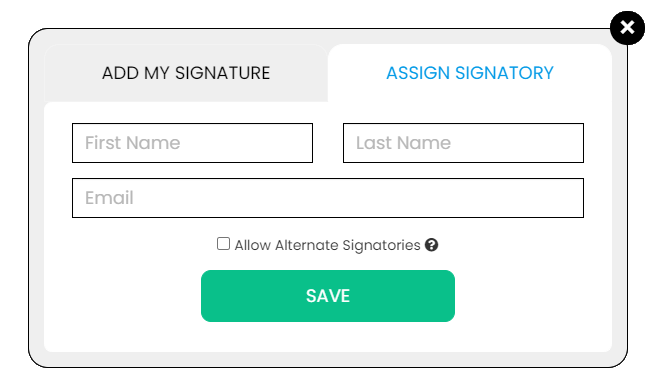
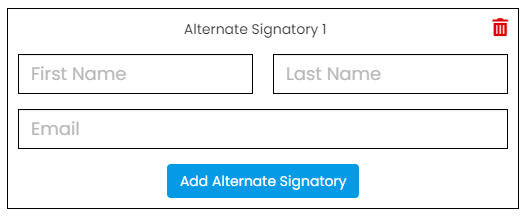
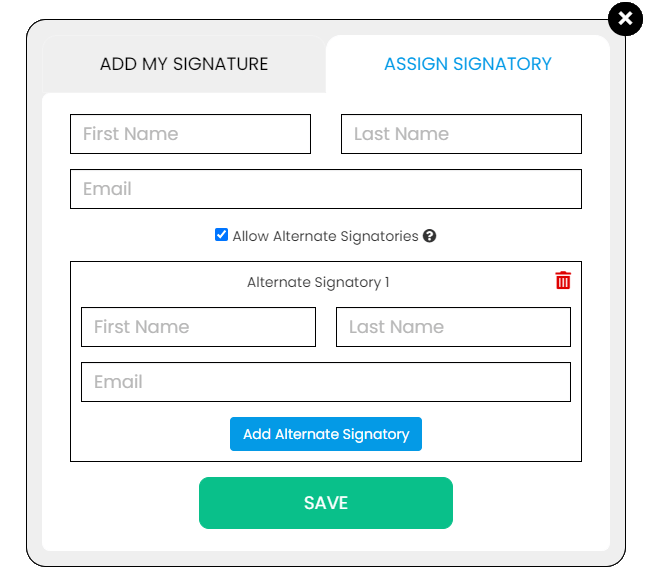
Use the Signature button to add a signature to your document and to assign a signatory. You will have the option to Type, Draw, or Upload your signature.

Use the Image button to add an image, logo, or photo to your document. The accepted formats are .jpg, .jpeg, and .png.

Use the Date button to add a date to your document. The default date format is MM/DD/YYYY, but you can modify it by typing the date format you prefer. Initially, it will display the current date, but you will be able to change it. To customize the date, you will be able to access additional tools, such as the Move text button, the Font Styles and the Font Sizes drop-down lists, the Bold, Italics, and Underline buttons, and the text alignment options, such as Left, Center, Right, and Justified buttons.

Use the Check button to add a check symbol to your document. To customize the check symbol, you will be able to access the Size adjustment tool.

Use the Cross button to add a cross symbol to your document. To customize the cross symbol, you will be able to access the Size adjustment tool.

Use the Whiteout button to white out or erase items in your document.

Use the Redact button to censor items in your document.

Use the Marker button to highlight items in your document. To customize the marker, you will be able to access the Color selection and Size adjustment tools.

Use the Insert button to add Icons, Header, Footer, Watermark, Comment, and Sticky Note to your document. The Icons button allows you select shapes such as Arrow Left, Arrow Right, Arrow Up, Arrow Down, Thumbs Up Thumbs Down, Question Mark, Exclamation Point, Circle, and Square; the Header button allows you to add a header; the Footer button allows you to add a footer; the Watermark button allows you to add a watermark by typing or uploading an image; the Comment button allows you to leave a comment in any part of the document; the Sticky Note allows you to post a note to any part of the document.

Use the Zoom button to zoom in and zoom out your document.

Use the Undo button to negate the last command done to your document.

Use the Redo button to reverse your last Undo.

Use the Help button to read instructions about how to use PDFRun’s online editor.

Use the Send for Signing button when you are done editing your document and you want to send it to another person for signing. You will need to provide the information of the recipient of your document to proceed.

Use the Email button when you are done editing your document and you want to send it to another person via email. You will need to provide the information of the recipient of your document to proceed.

Use the Download button when you are done editing your document and you want to save a copy of it to your device.

Use the Done button to finish editing your document.