Drop Image here or click to upload. (The Image size should be less than 5 mb)
No Image Available
Your New Document is Ready.
Click on the fields and start typing Yup, it's that easy!
Current document name is "TxDPS Texas Driver Record".
Do you want to rename this document?
Processing...
Please do not refresh this page or click on the back button.
New Page
Caution
About the Form
What is Form DR-1?
There are instances wherein individuals or companies will be requesting for your driver records. It may be a requirement for a job or insurance you’re planning to get. Whatever the reason may be, you can easily request your driver records by filling out the Form DR-1 or the Texas DPS Application for Copy of Driver Record Form.
What is a driving record and what does it contain?
A driving record is basically a summary of all your records related to you as a driver. As soon as you submit your application for a driver’s license, the DPS will set up your driving record.
The driving record contains your personal information and your driving history. It would also show any tickets, traffic violations, accidents, or crashes that you have been involved in.
The table below shows the types of driver records that you can request from the DPS and the information that they contain:
Driver Record Type
Information
Fee
Type 1
Name
Date of birth
License status
Current address
Original Texas driver license application date
$4.50
Type 2
Type 1 information, plus
List of accidents or crashes wherein you received a ticket and all moving violations within the past 3 years.
$6.50
Type 2A
Certified version of Type 2
Remarks:
This not acceptable for a defensive driving course
$12.00
Type 3
Type 1 information, plus
List of all accidents or crashes (including those where no tickets were issued) and all moving and nonmoving violatiosn in record
Remarks:
This record will be given to the driver record owner only.
This type cannot be used for a defensive driving course.
$7.50
Type 3A
Certified version of Type 3
Remarks:
This is acceptable for a defensive driving course.
$12.00
Type 4
Certified abstract of complete driving record (basically, this contains all information in a driver record):
Type 3 information, plus
All suspensions in the record
$22.00
An individual, group, or company may request a specific type of driver record only. Be sure that the type of record you are requesting is the same type needed from you since each of the record types differs in content.
What do I need driver records for?
There are several instances where your driver records may be requested from you. Below are some instances wherein your driver records may be a requirement.
Background Check. When you apply for a job with driving responsibilities (examples are personal, family, or company driver), you will be required to submit your driver record. This is part of their background check in screening for employees as they put utmost importance to safety. Since driving jobs are risky, selecting the right employees is crucial, and the driving records can be helpful in the selection process.
Insurance. When applying for insurance, the insurance company may require you to submit your driving records. Your records will show them how much of a risk you’ll be as a driver, and this will determine the premium you’ll be paying them.
Defensive Driving Course. Defensive driving refers to the driving skills that allow you to defend yourself from possible accidents or collisions. When you plan to take a course or training on defensive driving, you may be asked for your driver record. Your records will show them how you are as a driver what driving skills of yours would need further training.
How to fill out Form DR-1?
The form is two pages long. Remember to read carefully through the form first to avoid making mistakes while filling out the form. Also, remember to provide all the information requested from you. The Texas DPS may not process your application if you leave any items unanswered.
Page 1
The first page will require you to input your personal information and describe the type of record that you want to request.
Type of Record Desired
You are presented with choices about what type of record you would like to obtain from the DPS. Check the box which corresponds to the type of record you wish to request from the DPS. Note: Refer to the table above showing the driver record types and the corresponding fees for each type.
Mail Driver Record To:
In this section of the form, you are requested to provide your mailing address, where the DPS will be mailing the driver records you have requested.
You may also be requesting another person’s driver records on behalf of a business, organization, or other entity. If this is applicable to you, provide the following information on the spaces provided:
Name of business, organization, entity, etc.
Your Title or Affiliation with Above
Type of business, organization, etc.
Information Requested On:
If you are requesting your driver record, input here your personal information. If you are requesting a driver record of someone else, input here the personal information of the owner of the record you are requesting for.
Texas Driver License Number
Date of birth
Suffix
Full Legal Name
Individual’s Written Consent for ONE TIME Release to Above Requestor
If you are requesting a driver record of another person, the owner of the record you’re requesting must consent to have his or her records released to you. In this section, the record owner shall sign the space provided to certify that they consent to the release of their driver records.
If you are unable to obtain the written consent of the record owner, please refer to page 2 for instructions.
Signature
Provide your signature here to complete your request application. By signing the form, you certify that the information you have put in the form is correct and factual.
Write the date you signed the form on the space provided.
Page 2
To protect the records of the record owner, requestors are required by the Texas DPS to submit additional documents that would serve as proof that the driver record request is authorized under state and federal law. It is also to ensure that the information from the record will be used only for the purpose stated in the form, and that this purpose is in compliance with the law.
This page contains a list of the conditions in which the application will be considered even without the written consent of the record owner. In order for the application to be processed, you must meet one or more conditions in this list.
Kindly input your initials on the boxes that correspond to the purpose of your request.
How do I send my accomplished Form DR-1?
Send your accomplished Form DR-1, together with the payment for the records requested, to the Texas Department of Public Safety:
Texas Department of Public Safety
Box 149008
Austin, TX
78714-9008
Only send checks or money orders for payment. DO NOT mail in cash.
I have already submitted my Form DR-1. What’s next?
Your driver record will be mailed to you within three weeks after you submit your application. If no record is mailed to you after three weeks, please contact the DPS for assistance.
Can I request multiple records at the same time?
Let’s say that you plan on getting a Type 1 and a Type 3A at the same time. You can only request one record in one form. Therefore, you would have to fill out another Form DR-1 for another driver record type.
I have now received my records, but there is wrong information that shouldn’t be here. What do I do?
In some instances, driver records may reflect inaccurate information; for example, you might see violations that did not actually happen or tickets which have not actually been issued to you. In these cases, contact the Texas Department of Transportation at (800) 558-9368 for assistance.
General Information
About PDFRUN
PDFRun is an online PDF editor platform that enables its users to find, edit, electronically sign, download, and share forms and documents anytime and anywhere, using any device.
With a cloud-based archive of thousands of forms and documents, it fast-tracks the document management processes of many professionals and businesses of different sizes, across many industries.
Through its user-friendly and easy-to-navigate interface, users may also upload their own files to fill out, edit, convert, e-sign, and share to multiple recipients to request signatures.
PDFRun streamlines document management processes, improves documentation workflows, and enhances its users’ efficiency, resulting in better productivity and an increase in work output.
Need assistance?
Customer Support
1-888-245-8984
Monday - Friday
7:00AM to 4:00PM PST
How to Use
Use the File button to access functions such as New PDF, New Page, Organize Pages, Save, Save As, Print, Export, Share Link, Email, and Postal Mail.

Use the Text button to add texts, numbers, and symbols to your document. To customize the texts, you will be able to access additional tools, such as the Bold, Italics, Underline, and Strikethrough buttons, the text alignment options, such as Left, Center, Right, and Justified buttons, the Bulleted List and Numbered List buttons, the Font Styles and the Font Sizes drop-down lists, and the Font Color and Font Highlight Color selection tools.

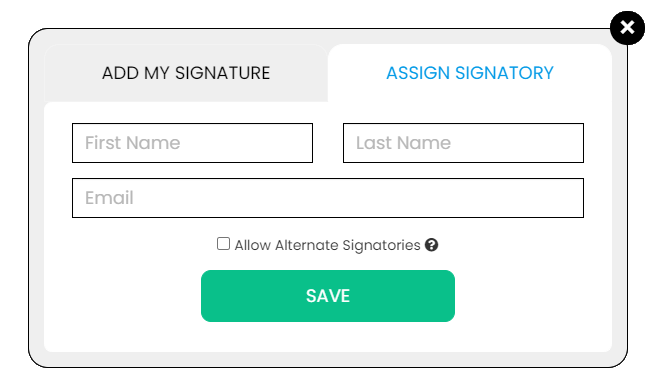
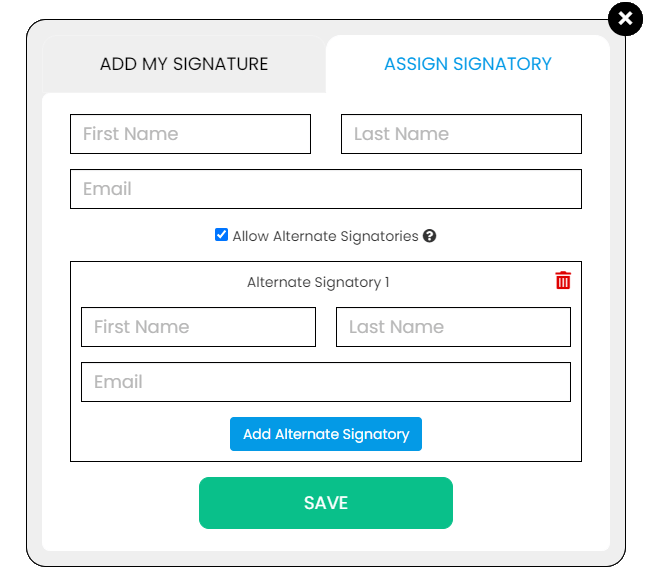
Use the Signature button to add a signature to your document and to assign a signatory. You will have the option to Type, Draw, or Upload your signature.

Use the Image button to add an image, logo, or photo to your document. The accepted formats are .jpg, .jpeg, and .png.

Use the Date button to add a date to your document. The default date format is MM/DD/YYYY, but you can modify it by typing the date format you prefer. Initially, it will display the current date, but you will be able to change it. To customize the date, you will be able to access additional tools, such as the Move text button, the Font Styles and the Font Sizes drop-down lists, the Bold, Italics, and Underline buttons, and the text alignment options, such as Left, Center, Right, and Justified buttons.

Use the Check button to add a check symbol to your document. To customize the check symbol, you will be able to access the Size adjustment tool.

Use the Cross button to add a cross symbol to your document. To customize the cross symbol, you will be able to access the Size adjustment tool.

Use the Whiteout button to white out or erase items in your document.

Use the Redact button to censor items in your document.

Use the Marker button to highlight items in your document. To customize the marker, you will be able to access the Color selection and Size adjustment tools.

Use the Insert button to add Icons, Header, Footer, Watermark, Comment, and Sticky Note to your document. The Icons button allows you select shapes such as Arrow Left, Arrow Right, Arrow Up, Arrow Down, Thumbs Up Thumbs Down, Question Mark, Exclamation Point, Circle, and Square; the Header button allows you to add a header; the Footer button allows you to add a footer; the Watermark button allows you to add a watermark by typing or uploading an image; the Comment button allows you to leave a comment in any part of the document; the Sticky Note allows you to post a note to any part of the document.

Use the Zoom button to zoom in and zoom out your document.

Use the Undo button to negate the last command done to your document.

Use the Redo button to reverse your last Undo.

Use the Help button to read instructions about how to use PDFRun’s online editor.

Use the Send for Signing button when you are done editing your document and you want to send it to another person for signing. You will need to provide the information of the recipient of your document to proceed.

Use the Email button when you are done editing your document and you want to send it to another person via email. You will need to provide the information of the recipient of your document to proceed.

Use the Download button when you are done editing your document and you want to save a copy of it to your device.

Use the Done button to finish editing your document.